
Apr 7, 2018 (updated: December 24, 2025) | Add-Ons, Booking Management, Help and Support
Version 2 of our taxi booking management system provides a calendar view with daily itinerary, functionality to add, edit & duplicate bookings from the admin, checking for timing conflicts with other bookings, and customisable messaging for actions such as accept, decline, cancel or paid.

Mar 27, 2018 (updated: October 8, 2018) | Help and Support
It may be that you need to move Cab Grid to another website – say from a development site to a live site – and, in doing so, preserve the settings, prices, messages, and other configurations. There is [currently] no built in process to manage this process. This article discusses techniques for copying Cab Grid data from one web site to another.
Mar 14, 2018 (updated: December 24, 2025) | CabGrid Pro, Help and Support
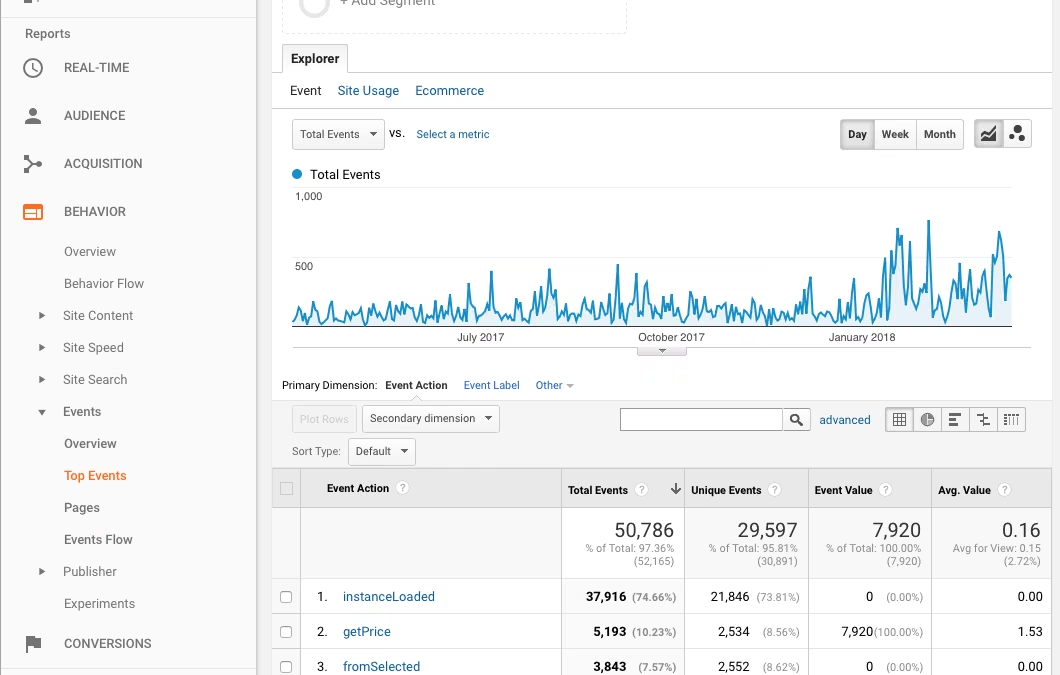
Cab Grid Pro offers the ability to track interactions with users through Google Analytics. This means usage of the plugin is reported alongside other statistics in Google Analytics.

Jan 23, 2018 (updated: December 24, 2025) | CabGrid Pro, Custom Styles, Help and Support
s Note The CSS code on this page is geared primarily to Cab Grid Pro version 4 or earlier and may require some further adjustments to be applied to Cab Grid Pro version 5 or later. However, the basic principles remain the same so only minor updates should be...

Jan 18, 2018 (updated: April 3, 2022) | CabGrid Pro, Help and Support
CabGrid Pro can process debit or credit card payments out of the box via Paypal: Select the OPTIONS tab on the CabGrid Pro admin page in the WordPress admin Section Enter your Paypal ID (usually your email address) in the ‘Paypal ID & Currency:’ field....
Jan 12, 2018 (updated: April 16, 2020) | Custom Styles
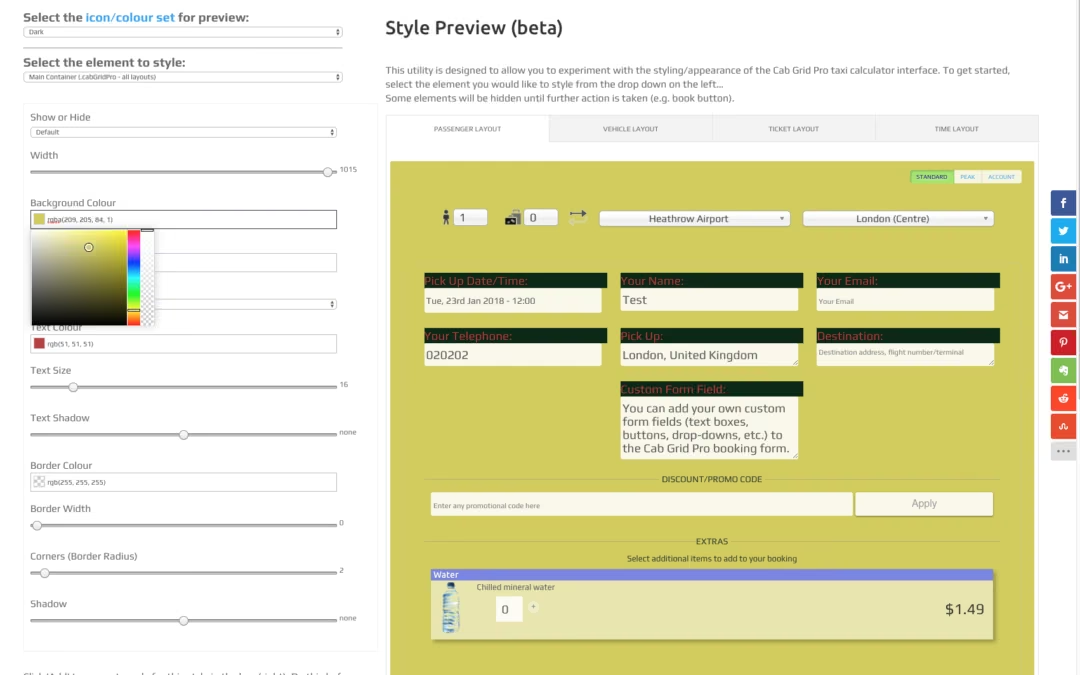
Currently in beta, the Cab Grid style builder utility helps preview and test out custom CSS styling for the taxi fare price calculator interface. It provides a visual interface for adjusting styles for the Cab Grid calculator.

Nov 4, 2017 (updated: March 17, 2025) | sticky, Troubleshooting
You might find that you install the CabGrid free or CabGrid Pro plugin and it does not function correctly. There are many reasons this may happen, but most likely it is a compatibility issue with your theme or other plugins. This article describes how to troubleshoot problems with the Cab Grid taxi calculator plugin for WordPress.

Sep 8, 2017 (updated: August 29, 2018) | Cab Grid Free Basic Edition, CabGrid Pro, Help and Support
Cab Grid Pro v4.5.2 and Cab Grid (basic edition) 1.2.10 will introduce basic Accelerated Mobile Pages (AMP) support. AMP will be enabled on your website through a third-party plugin, such as AMP By Automattic. Currently, if a post is rendered by AMP, any Cab Grid...
Aug 31, 2017 (updated: May 23, 2026) | CabGrid Pro, Help and Support

Aug 28, 2017 (updated: April 13, 2020) | CabGrid Pro, Help and Support, Translations
[NOTE: This feature requires Cab Grid Pro v4.4.1] Cab Grid Pro displays messages to visitors at various points in the calculation/booking process. These messages are largely configurable through the Cab Grid Pro admin page, under the OPTIONS tab. They include:...

Aug 24, 2017 (updated: September 21, 2018) | CabGrid Pro, Help and Support
All the information about a taxi booking request can be compiled to a single (CSV) file and sent as an attachment along with the cab booking notification email. This file can then be imported to a third-party application or booking system. CSV attachments are sent to the administrator only, and only if enabled in the Cab Grid Pro admin.
Aug 19, 2017 (updated: March 31, 2020) | Utilities
Use this utility to create your own custom booking form fields for Cab Grid Pro…
Aug 11, 2017 (updated: April 12, 2026) | Add-Ons, Booking Management, CabGrid Pro, Help and Support
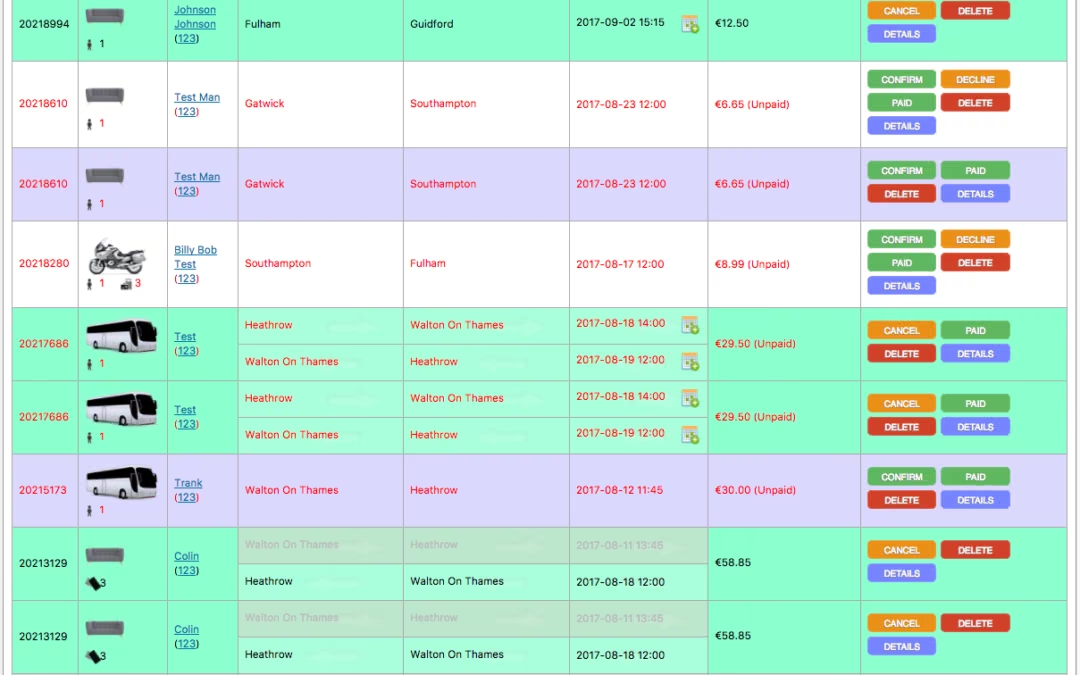
The Booking Management Add-On adds online booking management to the Cab Grid Pro WordPress plugin. This means that bookings are stored in the WordPress database and can be processed (accepted, declined, cancelled, deleted, etc.) from a page on your website.

Jul 29, 2017 (updated: December 24, 2025) | Add-Ons, Cab Grid Pro Stripe Integration, Help and Support
Stripe is an alternative card processing provider. Stripe offers a more integrated checkout experience. It is easy to sign up for and supports more currencies.
We’ve done the integration work to provide a Stripe add-in plugin for Cab Grid Pro. This makes it super-easy to take card payments for journeys calculated through Cab Grid Pro.
Jul 14, 2017 (updated: May 23, 2026) | CabGrid Pro, Help and Support
Should the Cab Grid Pro plugin be repurposed it may be necessary to edit the built-in booking form labels and buttons. This can be done by manually editing the _settings.php file (with some caveats).

Jul 10, 2017 (updated: March 17, 2025) | CabGrid Pro, Help and Support
Do not allow booking on certain dates, specify a minimum time before booking (lead time), and a latest booking date.
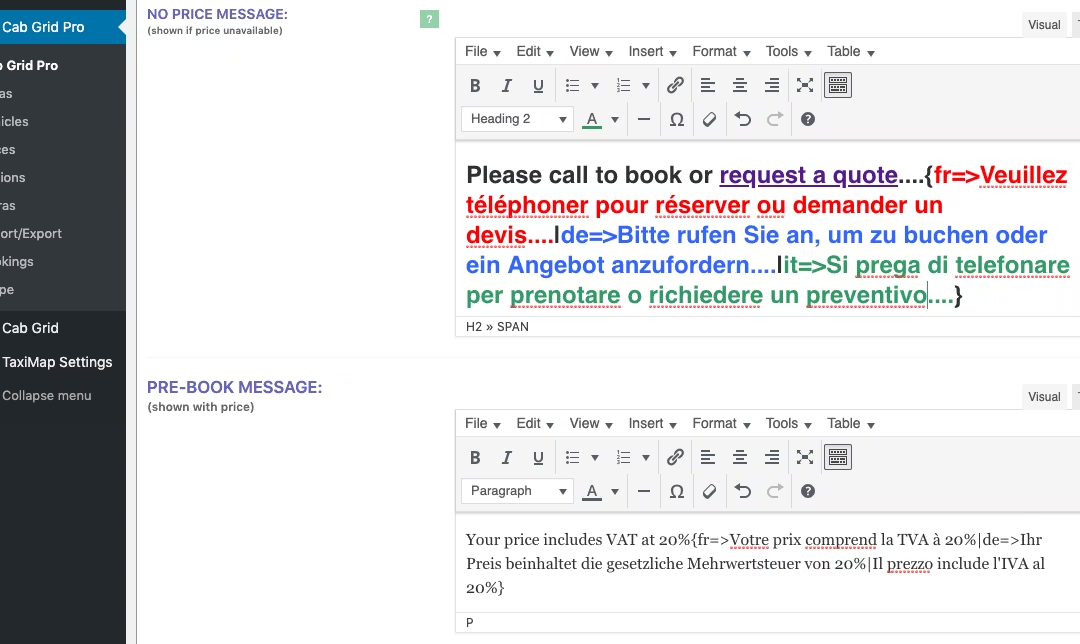
Jul 1, 2017 (updated: July 1, 2019) | CabGrid Pro, Help and Support, Translations
This article describes the syntax required to have content entered in the Cab Grid Pro admin pages translated to the visitor’s (or site’s) preferred language.

Jun 27, 2017 (updated: May 3, 2025) | CabGrid Pro, Help and Support
CabGrid Pro can calculate prices for return journeys (round trips). This feature is available in the OPTIONS tab of the CabGrid Pro WordPress admin panel. Contents How to Enable Return Journeys Return Journey Calculation Methods Method 1: Lookup price for journey in...

Jun 26, 2017 (updated: April 14, 2021) | CabGrid Pro, Help and Support
The EXTRAS tab on the CabGrid Pro WordPress Admin page allows an unlimited number of additional items to be listed for purchase or to be selected along side a booking request. This is useful to offer sundries such as refreshments, services such as guided tours or meet & greet, or free enhancements like child seats.
Jun 25, 2017 (updated: September 11, 2017) | CabGrid Pro, Help and Support
If you are updating from an earlier version of Cab Grid Pro (3.8 or earlier) please read this article for details of changes that could effect your website.

Jun 25, 2017 (updated: September 21, 2018) | CabGrid Pro, Help and Support
Version 4.5 of Cab Grid Pro, the taxi booking and price calculator plugin for WordPress, has been released. It is available to buy and download here. Users of versions 1 to 3.x may request a free upgrade by submitting a support request. Cab Grid Pro 4 introduces many...

Jun 24, 2017 (updated: December 24, 2025) | Booking Management, CabGrid Pro, Help and Support
Cab Grid Pro allows you to compose bespoke booking acknowledgement messages that are emailed to customers when the taxi booking form is submitted. This email is completely customisable with details entered on the taxi booking form. On the Cab Grid Pro OPTIONS tab,...
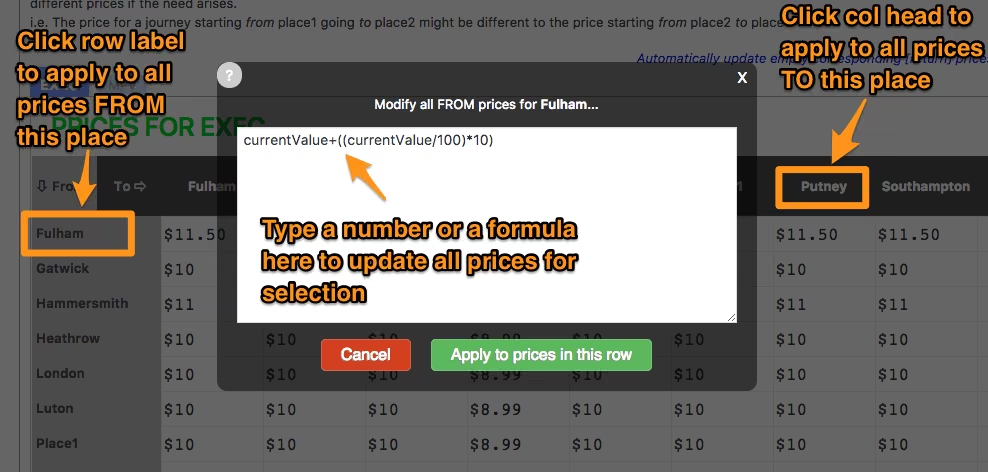
May 31, 2017 (updated: May 23, 2026) | CabGrid Pro, Help and Support
This article gives details on updating prices in bulk using a formula and copying taxi fare prices from an existing vehicle price table. Note; Cab Grid Pro version 5 introduces the ability to import and export taxi fare prices from a CSV file. [As of Cab Grid Pro...

May 18, 2017 (updated: December 24, 2025) | CabGrid Pro
We’re excited about developing CabGrid, adding new features and making it better for all users. We set out a development roadmap for CabGrid Pro detailing some of the recent and upcoming features we are planning. If you have a suggestion or feature request, please feel free to post in the comments.

Apr 23, 2017 (updated: May 23, 2026) | CabGrid Pro, News
Should we integrate WooCommerce with CabGrid Pro? This article discusses the pros and cons. Please provide your thoughts in the comments…


