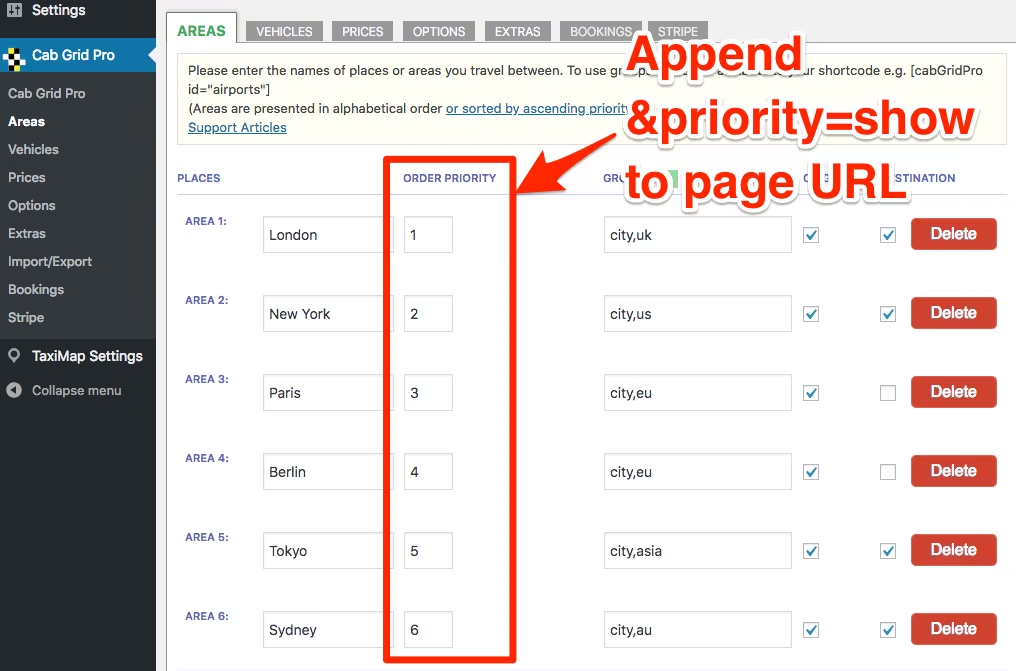
Set the priority/order of places and vehicles
When Cab Grid’s own logic does not meet requirements a special (hidden) feature allows the order of places in origin or destination drop-down lists, and the priority of vehicles to be defined.

When Cab Grid’s own logic does not meet requirements a special (hidden) feature allows the order of places in origin or destination drop-down lists, and the priority of vehicles to be defined.
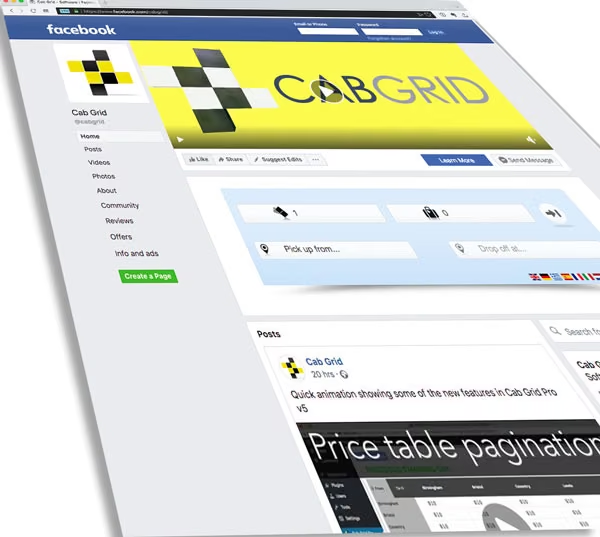
Cab Grid Pro v5 provides a template that allows the taxi price calculator or taxi price table to be embedded in another website or application such as Facebook. This article describes the steps to generate the Cab Grid Pro embed page.
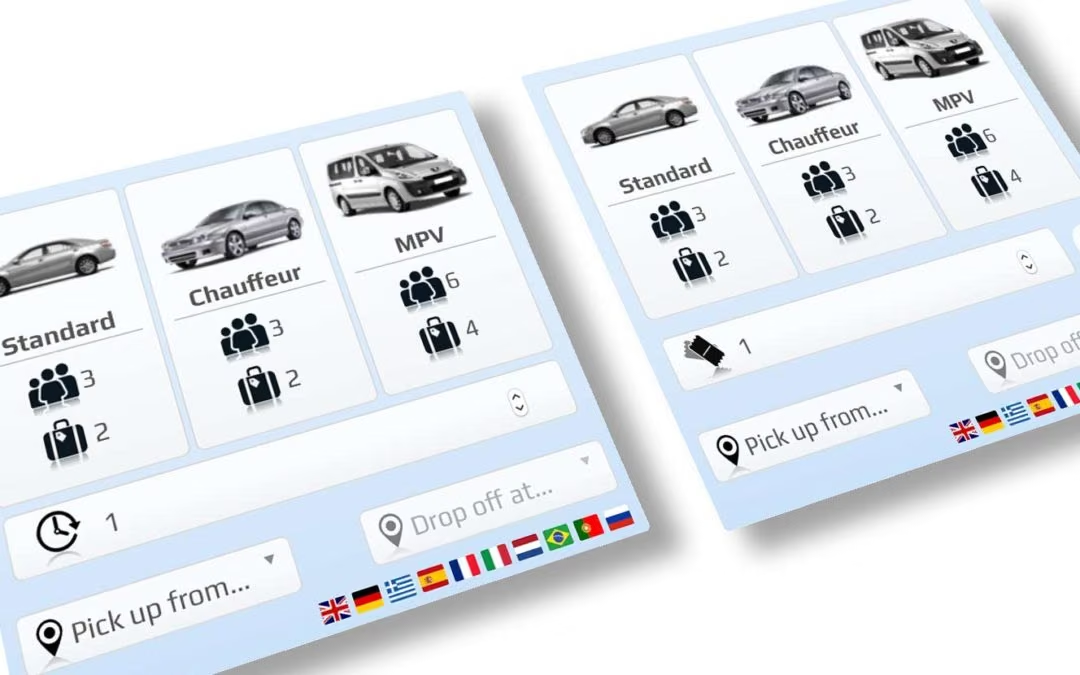
Cab Grid Pro 5 introduces the ability to combine calculation modes. This is useful where the choice of vehicle should be offered (rather than determined by the system).
Modes are combined by adding comma-separated values to the layout attribute of the Cab Grid Pro shortcode as follows. At this time, the only possible combinations are Vehicle and Time layout, and Vehicle and Ticket layout.
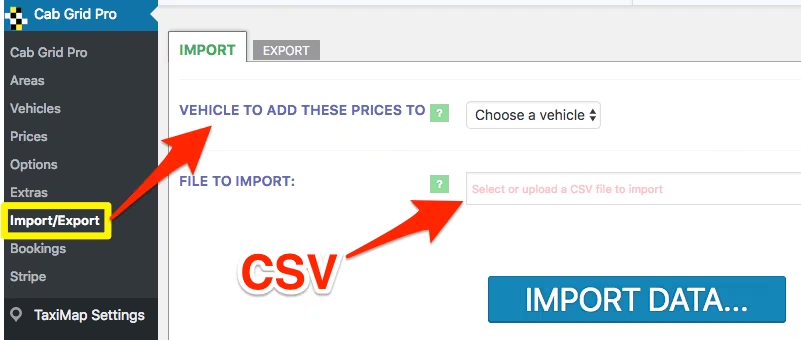
Location and price data can be imported to Cab Grid Pro from an external source (CSV file). This can be especially useful if there are large number of places and prices.
![Display a fare price table using [ cabGridProTable ] shortcode](https://cabgrid.com/wp-content/uploads/2018/09/cab-grid-pro-table-layout.avif)
The cabGridProTable shortcode displays a price table as opposed to the regular CabGrid Pro price calculator. Prices and table attributes can be controlled through attributes defined as part of the shortcode (or in the Gutenburg block). These include captions, vehicles, groups, links, destinations and more.
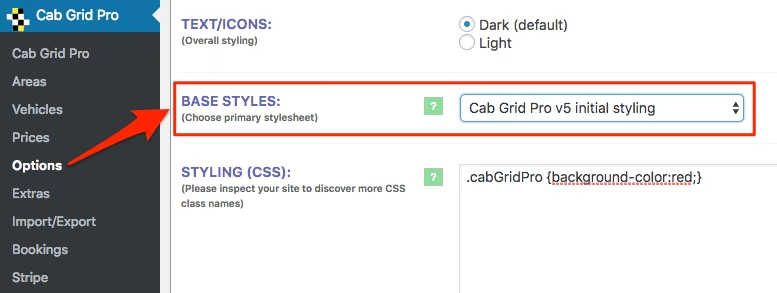
CabGrid Pro version 5.0 provides the ability to select the main stylesheet loaded with the front-end calculator plugin. There are a variety of pre-defined style-sheets available that provide a starting point for any custom CSS.


In some circumstances, email messages sent from CabGrid (WordPress) can not get through. There are a number of reasons for this. This article attempts to address some common email deliverability issues.

This article examines Gutenberg’s impact on the Cab Grid price calculator plugin for WordPress. At this time, it appears that Cab Grid functionality remains unaffected…

Cab Grid Pro version 5 is out!
List of key new features in version 5.0 of the Cab Grid Pro taxi price calculator plugin for WordPress websites.
– Individual discounts can be applied to WordPress user accounts.
– Customer advised of booking availability.
– Grant access to Cab Grid Pro admin for other roles and users.
– Multiple discount codes.
– Date picker for blocked out dates.

Prices calculated by Cab Grid Pro can be discounted (or modified) by providing promotional coupon or discount codes, or by implementing price variation formulas. This article lists the various methods available (or coming soon).

How to manipulate the online payment amount to serve either as a deposit (part) payment (pending confirmation), or to add a surcharge (card handling fee), and how the Booking Management add-on processes subsequent post-booking payments.
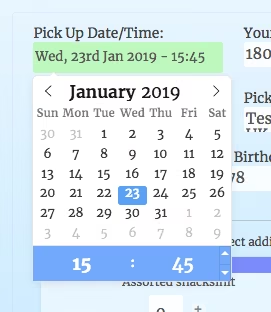
How to manipulate date and time formatting displayed to the customer on the CabGrid Pro taxi booking form.

Let’s consider a business that offers multiple passenger transportation models – Airport Transfers, City Tours, Chauffeur Service and Taxi. We illustrate how these models can be implemented on a single page with Cab Grid Pro.

Version 2.0 of the Stripe Add-on allows customers to make payments using various funding sources in addition to credit cards or debit cards. These include iDEAL, Sofort & Giropay, popular in some European countries. These are known as ‘sources’ by Stripe.

The Electronic Funds Transfer (EFT) add-on will offer customers the option of paying via bank transfer. A button is displayed after the booking form is complete. When the admin ACCEPTS or sets the booking to PAID, custom messages as defined below are sent to the customer.

DPO Paygate (formerly known as VCS) provide payment processing solutions for South African markets. Ask us about our add-on plugin that allows customers to make online payments via DPO/VCS.
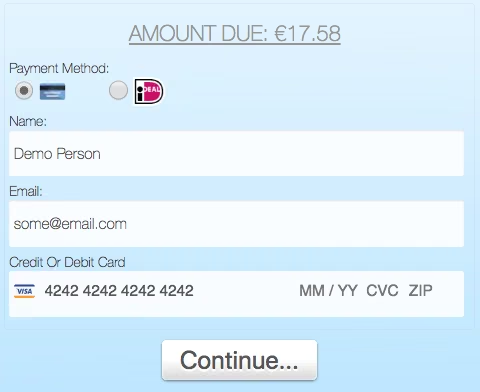
This article describes each of the options available under the STRIPE tab in Cab Grid Pro. The Stripe tab is available when the Cab Grid Pro Stripe Integration add-on is installed and activated. Stripe provides a means for users to process online payments using credit cards (e.g. Visa or MasterCard or American Express), debit cards, or bank transfers (via iDEAL, GiroPay or SoFort).
Cab Grid does not store any customer data. All booking data is sent to administrators via email for offline processing. If the Booking Management Add-on is installed & active, booking data is stored on the server and customer consent may be required. This article provides details.
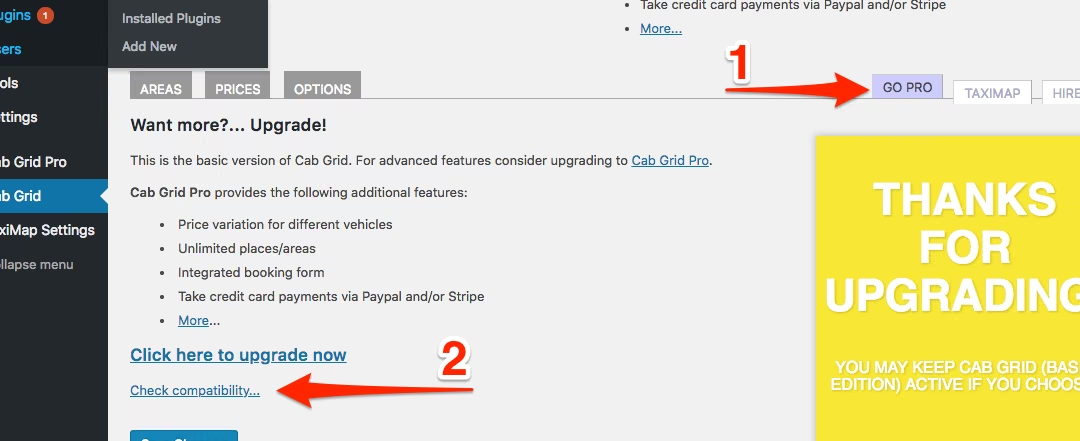
Cab Grid has a built in compatibility test. This test can show incompatibility between the hosting environment and Cab Grid Pro. It accessible from the BASIC edition of Cab Grid and from Cab Grid Pro v4 or higher.

Download the free Defaults add-on plugin for WordPress to configure advanced Cab Grid Pro taxi price calculator settings independently of the main plugin. Update button and form field labels, set min & max passenger or time periods, set price decimals & formatting, and more…