
How to add a logo or image to notification emails sent from CabGrid Pro or the CabGrid Booking Management add-on
CabGrid Articles About Help and Support

Invoicing, Accounting and Bookkeeping with CabGrid
CabGrid features to help with accounting, bookkeeping and invoicing customers.

Booking form unexpectedly shows mandatory information missing
Problem: when trying to summit a booking, the message “Mandatory information missing or invalid. Invalid fields have been highlighted.” always appears, even when all required fields are completed.

Hook CabGrid events on the front end with JavaScript
How to manipulate the CabGrid calculator and booking form when certain events occur through Javascript.
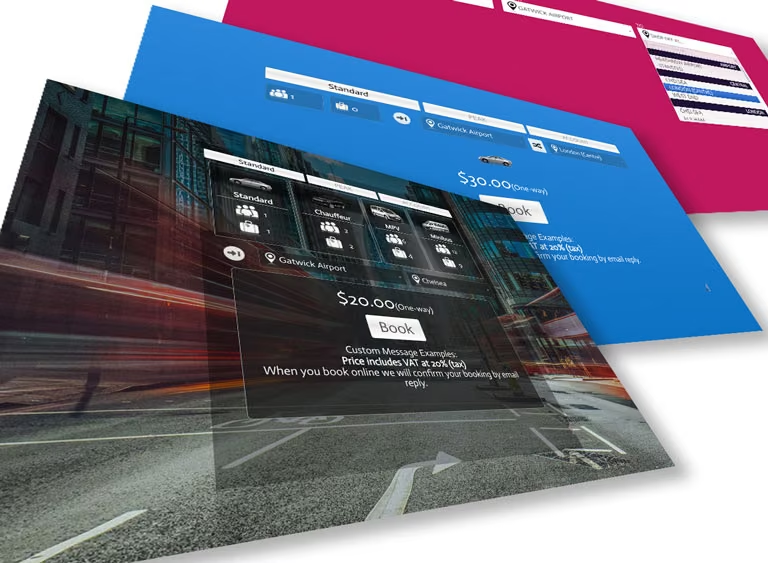
How to use CabGrid Pro v5 Alt Styles
CabGrid Pro version 5.8.14 includes a new set of built-in styles. Selecting these styles means custom CSS for these styles need not be entered in the custom CSS box. To use these styles, select ‘Alternative Styles v5’ under BASE STYLES in the OPTIONS tab of the CabGrid Pro WordPress admin panel.
Troubleshooting the CabGrid Stripe Integration Add-on Plugin
The CabGrid Stripe Integration add-on adds Stripe payment processing to the CabGrid price calculator and booking plugin. If not properly configured the Stripe add-on may not function as expected. Here are some things to check if the Stripe payment option is not offered at the end of the booking process…
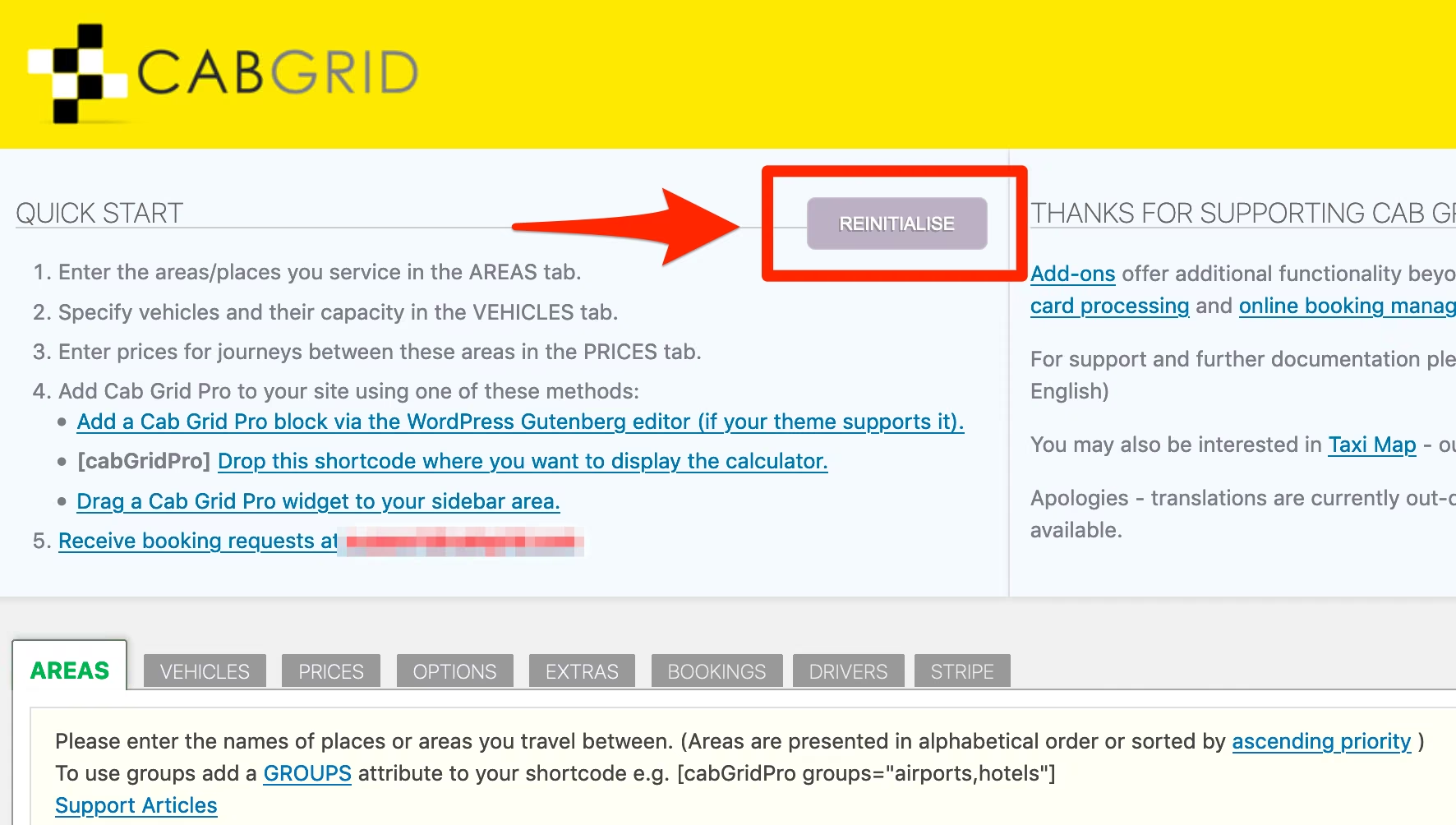
Re-initialise/Reset CabGrid Pro to solve layout or loading errors
In certain circumstances the CabGrid Pro can fail to load required files after an update. This can result in the taxi calculator losing its layout and styling. This article provides details on how to reset and re-initialise CabGrid Pro.

Cash Payment Options
This article and accompanying video tutorial describe mechanisms for offering customers a cash payment option in CabGrid.

Changing the Return/One-Way Icon Button with CSS Styling
CSS code snippets for Cab Grid Pro version 5 and above that change the appearance of the one-way/return button icon shown in the plugin calculator interface. These snippets can be added to the Custom CSS box under the OPTIONS tab in the Cab Grid Pro WordPress admin page.
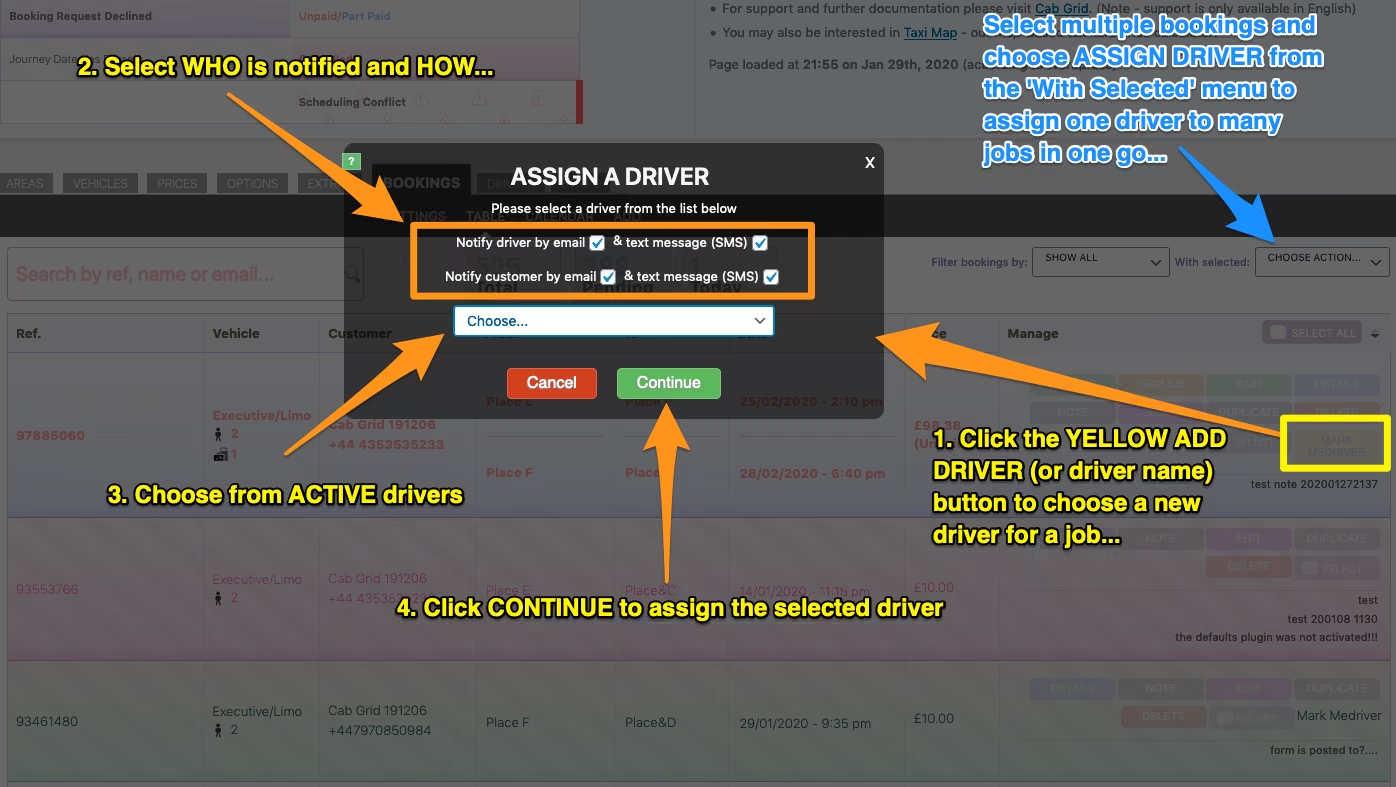
Driver Dispatch Add-on Setup
The Cab Grid Driver Add-on plugin allows drivers to be added and managed through the WordPress admin interface. Drivers can be assigned to taxi bookings and sent notifications by email or SMS text message. Customers can also be notified when a driver is assigned to their booking.

